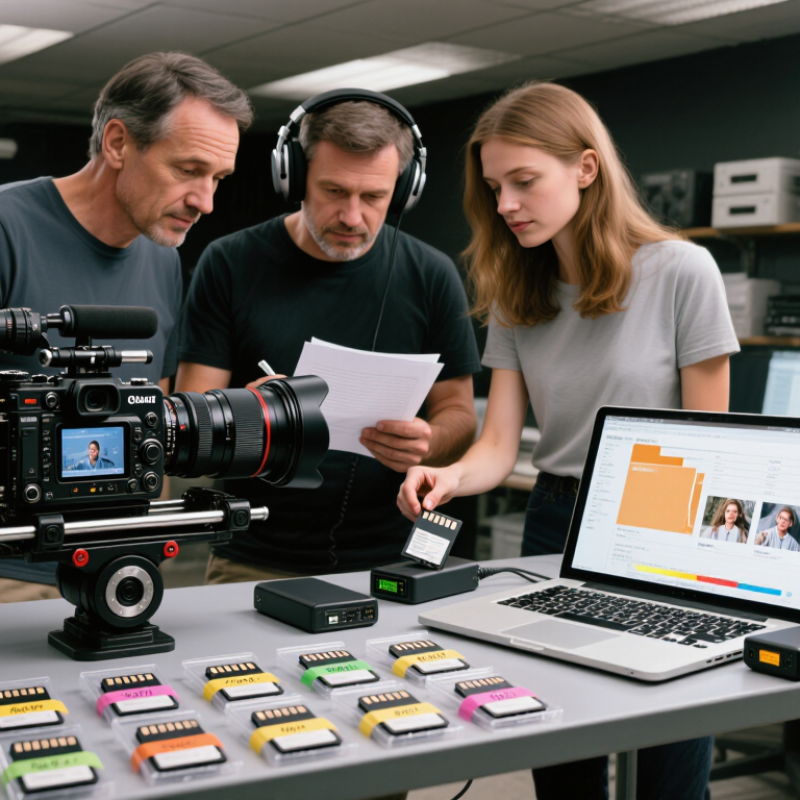
Film Production Dailies Logistics begins when a camera card leaves set, not when an editor opens a timeline. Each handoff matters: camera originals need clear labels, verified copies, synced sound, and a reliable path to editorial. A missed checksum or mislabeled drive can cost hours. Sometimes, more. The Motion Picture Association’s 2023 THEME Report recorded $9.1 billion in U.S. and Canadian theatrical box office. That figure does not measure dailies workflows, but it reflects the scale of an industry where production time and media are valuable assets.
This guide explains how crews can organize dailies from set through post-production. It covers who receives each card, how teams track transfers, and what to check before footage moves onward. Practical details matter: record card IDs, note transfer times, confirm file counts, and keep a clear record of exceptions. Secure storage and tested backups help reduce avoidable risk, while sensible upload plans account for limited bandwidth and changing locations. No workflow prevents every delay. Weather shifts, rushed wrap times, or an unstable connection can still disrupt the plan. That is worth admitting. The goal is not a perfect pipeline on paper, but a repeatable process that people can follow under pressure—and improve when it fails.
Define Film Production Dailies and Their Logistics
Film production dailies are the footage and sound recorded during a shooting day, prepared for review by the creative team. They may include camera originals, synced audio, viewing copies, and basic notes about scenes, takes, and camera setups. The term can also describe the daily review process. It is not just a folder of clips. Small details matter.
Dailies logistics cover the journey from camera cards to a usable, organized review package. A media technician copies each card to verified storage, checks that files match, and records essential metadata. Audio is synced when needed; lower-resolution viewing files may be created to make review easier. Clear labels help editors find a take without opening dozens of similar clips. One misplaced scene number can waste real time.
Timing matters. The team needs to know when footage will be ready, who receives it, and how changes or missing files are reported. A consistent naming plan and a written handoff checklist reduce confusion, especially when several cameras are rolling. Access should be limited to approved crew, with backups handled deliberately. The process can feel overly fussy, and paperwork sometimes grows too elaborate. Still, a brief note about a focus issue or an interrupted take may save an editor from guessing later.
Film Production Dailies: Definition & Logistics
Dailies are the footage recorded during a day of filming, prepared for review by the director, cinematographer, and editorial team. Reliable logistics include verifying, backing up, organizing, and securely sharing the footage. The chart summarizes the 3-2-1 backup rule: keep three copies, on two types of storage media, with one copy off-site.
Plan Daily Capture, Processing, and Delivery Requirements
Daily logistics begin before the first camera rolls. Set a capture plan with expected footage volume, frame rates, audio needs, and delivery times. Assign each card a clear identifier, and record who handles it at every handoff. Keep one written camera report with scene, take, lens, and sound notes. Small errors travel. On set, confirm that files open and playback works before cards are cleared for reuse. A quick check can catch a missing clip while the crew still remembers what happened.
Processing needs its own schedule. Estimate transfer time, checksum verification, backup capacity, and review time for each day’s footage. Separate camera originals from viewing copies, and label folders consistently by shoot day and camera. Give the editor a delivery manifest that lists file names, audio channels, color notes, and any incomplete takes. Keep a second verified copy in a separate location. The schedule may still slip; our estimates are not always right when a scene runs late or a transfer slows. Leave a buffer, then update the team as soon as the plan changes. For a night shoot, confirm that the receiving editor is available before sending large files.
Organize Footage, Metadata, and Quality-Control Checks
Before cards leave set, give each one a unique identifier. Log its roll, scene, take, camera, and recording time. Keep the camera report beside the media log, not in someone’s memory. On a busy day, small naming differences can split matching footage across folders. Use a consistent folder structure and preserve original filenames when possible. Copy footage to two verified destinations, then compare file counts and checksums. Do not clear a card until both copies pass. That pause matters. Record frame rate, resolution, audio channels, lens notes, and any retakes or slate issues. Even a note like “wind hit the lav mic” can save hours during review.
Quality control should happen while details are fresh. Check that clips open, audio is present, and playback shows no obvious corruption. Spot-check the head and tail of each take, plus a few points in the middle. Confirm sync against the slate or waveform, and flag missing, silent, or unusually short files. Separate confirmed problems from uncertain observations. Label uncertainty clearly. A rushed note can sound certain when it is not. Teams sometimes skip documenting clean transfers because it feels repetitive. That habit is understandable, but it leaves gaps. Review the log against the delivery list before handoff, and record who checked each item. People make mistakes. Clear ownership makes them easier to find.
Review and Distribute Dailies Securely to the Production Team
Film production dailies are most useful when editors and department leads can review them promptly without widening access to unfinished footage. A consistent handoff starts with a named folder structure, clear version labels, and a delivery time agreed before the shoot. Do not rely on a message that says “latest cut”; identify the scene range, camera unit, and sound status instead. Small checks matter.
Before sending, check recipient emails against the current crew list, then grant access only to roles that need it. Use an approved secure transfer workspace with individual accounts, limited permissions, and expiring links. Require sign-in verification where available. A short playback test on a phone and a laptop can catch missing audio or broken files before the editor loses time. Keep a record of what was shared and when.
Tips: Ask one person to own distribution, and another to verify the recipient list on high-volume days. Remove access when a crew member wraps. Avoid public links and untracked copies on personal drives. If a link fails, resend through the same controlled channel rather than improvising. We have sometimes made access rules too complicated; review them with the team and simplify without removing safeguards.
Archive Dailies and Resolve Workflow Issues
How to Manage Film Production Dailies Logistics?
Archiving dailies works best when each file can be traced back to its source. Keep camera originals, sound recordings, and viewing copies in clearly separated folders. Use consistent names that include the shoot date, camera, scene, and take. Record frame rate, audio sample rate, color notes, and transfer status in a shared log. These small details help editors investigate problems without guessing. A tidy folder is useful, but it is not proof of a complete archive.
Verify copied media with checksum reports, then store a second verified copy in a separate location. Test a restore periodically; a drive that powers on may still contain damaged or incomplete files. When playback reveals missing audio, incorrect frame rates, or mismatched names, log the exact clip and timecode. Assign one person to investigate, and preserve the original files while correcting the affected proxies or metadata. Naming rules can feel tedious, and a checklist may still miss an unusual camera setup. Review exceptions with the crew rather than silently forcing them into the standard.
Tips: Compare transfer logs with camera and sound reports before the next shoot day. Keep issue notes brief, specific, and easy to hand off. Don’t overwrite originals.
How to Manage Film Production Dailies Logistics? - Archive Dailies and Resolve Workflow Issues
| Date |
Unit |
Shoot Day |
Media Received |
Checksum Verification |
Proxy Delivery |
Workflow Issue |
Resolution |
Archive Status |
| 2026-09-14 |
Main Unit |
Day 18 |
6 camera cards; 1.42 TB |
Passed; 2 verified copies |
21:35; delivered before review deadline |
One card arrived without its camera report. |
Data wrangler matched the card to the slate notes and confirmed the roll with the camera team. |
Two archive copies verified |
| 2026-09-15 |
Second Unit |
Day 19 |
4 camera cards; 860 GB |
Passed; 2 verified copies |
22:10; 35 minutes behind schedule |
Proxy generation stalled after a storage volume reached capacity. |
Freed approved cache space, resumed the queue, and checked proxy counts against the camera reports. |
Two archive copies verified |
| 2026-09-16 |
Main Unit |
Day 20 |
7 camera cards; 1.76 TB |
One copy incomplete |
23:05; partial delivery |
A transfer to the secondary archive stopped during a network interruption. |
Kept the verified primary copy online, restarted the interrupted transfer, and rechecked file checksums. |
Secondary copy pending verification |
| 2026-09-17 |
Main Unit |
Day 21 |
5 camera cards; 1.18 TB |
Passed; 2 verified copies |
20:50; on schedule |
Several clips had mismatched reel names between reports and folder labels. |
Compared camera reports with slate records, corrected the metadata, and documented the changes in the handover log. |
Two archive copies verified |
| 2026-09-18 |
Second Unit |
Day 22 |
3 camera cards; 640 GB |
Passed; 2 verified copies |
21:20; on schedule |
Review team could not access one proxy folder due to incorrect permissions. |
Updated folder permissions, confirmed access with the review team, and recorded the change. |
Two archive copies verified |
| 2026-09-19 |
Main Unit |
Day 23 |
6 camera cards; 1.51 TB |
Checksum mismatch on one file |
Delayed pending verification |
One source file differed between the original card and the first transfer. |
Quarantined the affected file, recopied from the original card, and repeated verification before releasing proxies. |
Copy verified; incident logged |
Illustrative production log. Archive status refers to verified copies stored separately; unresolved items should remain documented and be escalated before media is released or cards are reused.
Conclusion
Film Production Dailies Logistics is the coordinated process of capturing, processing, organizing, reviewing, and delivering the footage recorded each day. A reliable workflow begins by defining what the production needs: recording schedules, processing turnaround times, delivery formats, access permissions, and the people responsible at each step. Planning these requirements in advance helps the team keep footage moving efficiently from the set to review.
Once footage is prepared, it should be organized with consistent filenames and useful metadata, then checked for completeness, playback quality, and synchronization. Dailies can be shared securely with authorized team members so they can review performances and production progress in a timely manner. Clear communication helps resolve missing files, technical problems, or delivery delays. Finally, maintain an organized archive of footage and related records, with a process for verifying backups and addressing workflow issues. These practices support dependable collaboration throughout production.